
Draft write-up
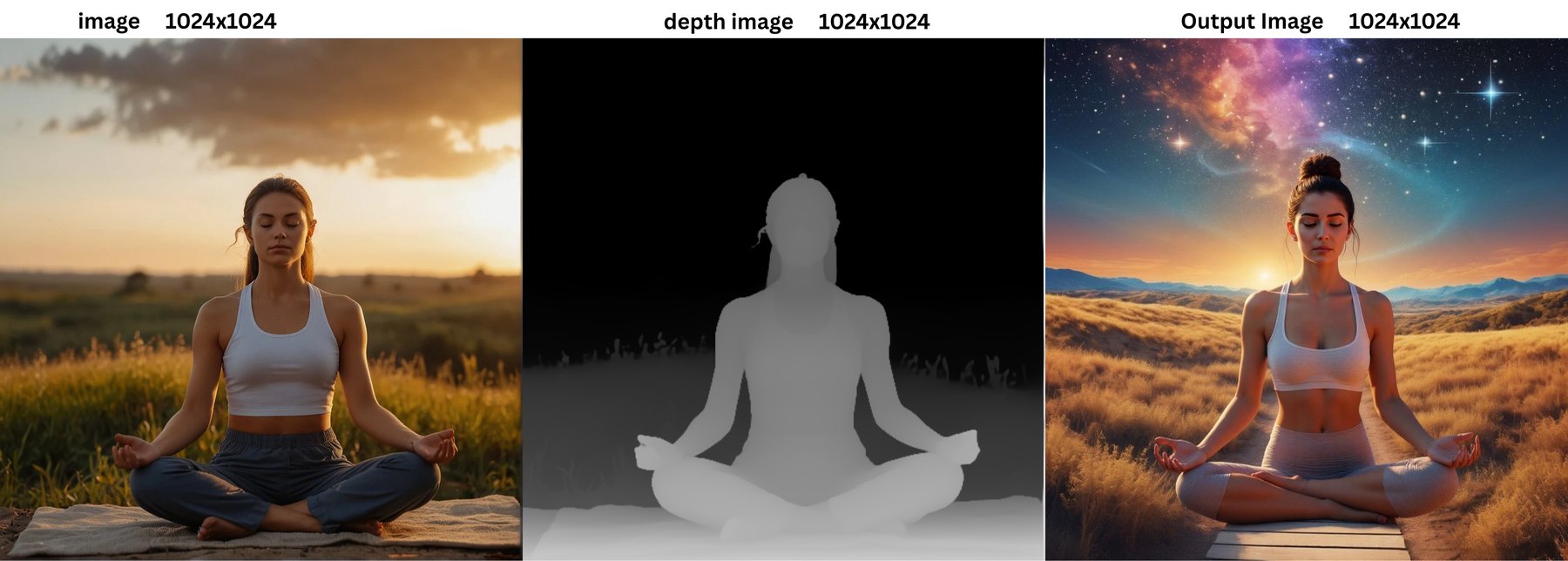
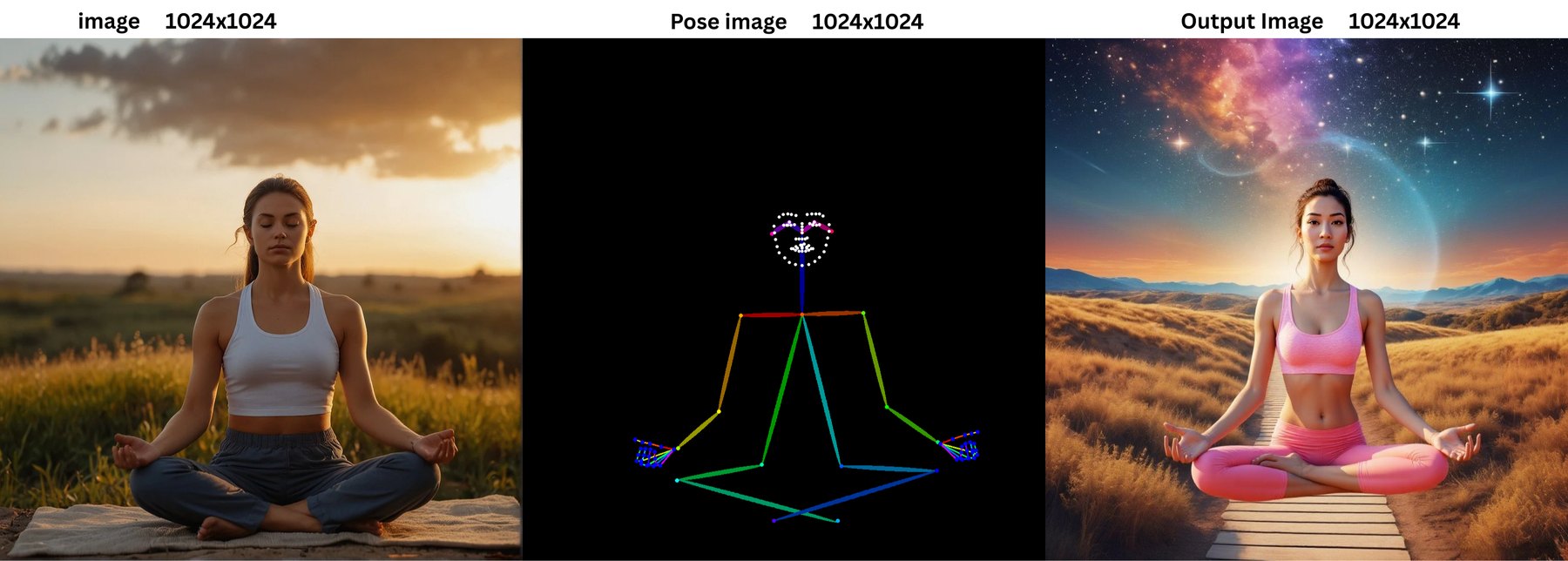
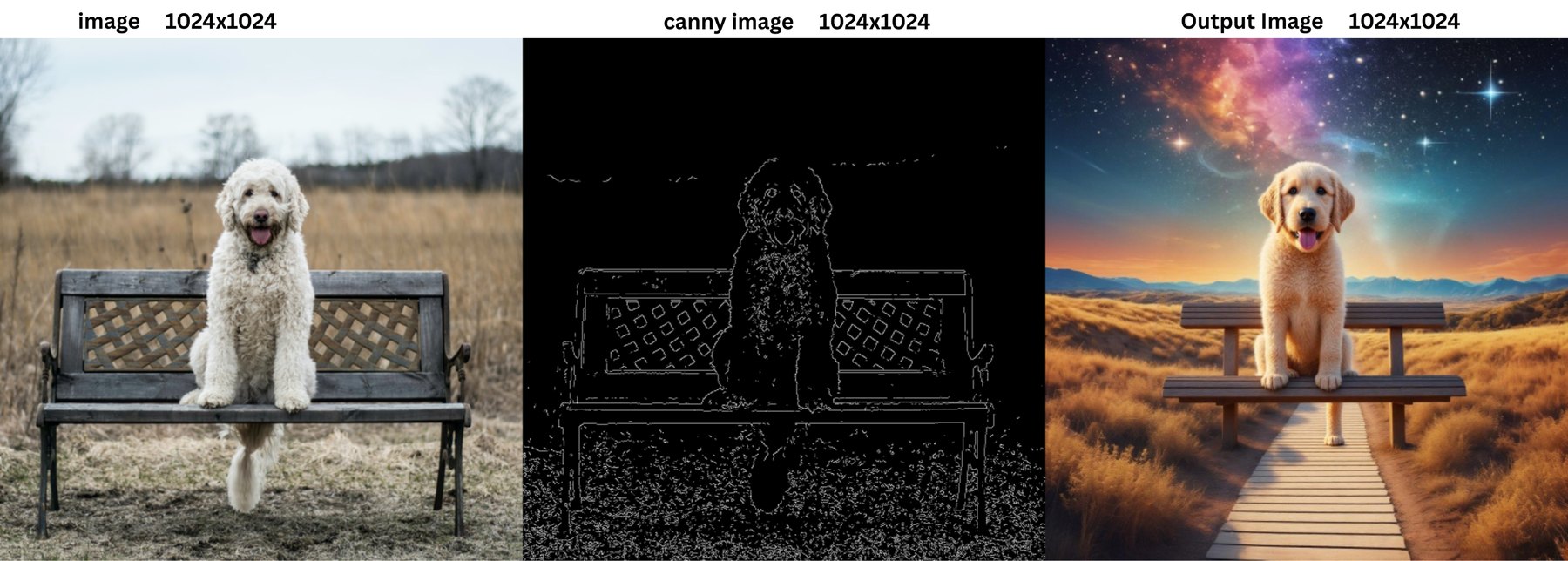
FLUX Fill edits the region inside a mask, but it has no way to follow structure such as depth, edges or pose. This project adds separate ControlNet conditioning to FLUX Fill inside the Hugging Face Diffusers library, so the filled region follows the layout of the control image. It was contributed upstream as FluxFillControlNetInpaintPipeline and merged into huggingface/diffusers as a community pipeline on 19 November 2025.
01Problem
Mask-based inpainting alone lets the model invent geometry inside the hole. For structured edits, such as replacing an object while keeping a pose or a depth layout, you want a second signal that pins the structure down. Diffusers had Flux Fill and had ControlNet, but no pipeline that combined the two.
02Approach
- 01
Start from the Flux Fill pipeline
Reuse the existing FLUX Fill inpainting pipeline in Diffusers as the base, so mask handling, scheduling and the transformer stay consistent with the library.
- 02
Add ControlNet inputs
Accept separate condition images (depth, canny edges, pose) alongside the image and mask, run them through a ControlNet and feed the residuals into the transformer.
- 03
Package it as a pipeline class
Expose it as FluxFillControlNetInpaintPipeline with the same call pattern as other Diffusers pipelines, plus documentation with usage examples.
- 04
Share sample outputs and iterate with the maintainers
Post sample results for review. The maintainers noted the quality was not ahead of newer editing models, suggested the community-pipeline route, and the pipeline was merged there.
03Architecture
A Diffusers pipeline: image, mask and a control image go in; a ControlNet turns the control image into guidance for the FLUX Fill transformer.
01Inputs
Image + mask + control imageThe source image, the region to edit, and a depth, canny or pose map.
02Text and image encoding
Flux text encoders, VAEPrompt embeddings and latent encoding of the masked image.
03ControlNet
Flux ControlNetConverts the control image into residuals that guide each transformer block.
04Denoising
FLUX Fill transformerFills the masked region while following the ControlNet guidance.
05Decode
VAELatents decoded back to the edited image.
- ControlNet conditioning on top of FLUX Fill inpainting
- Separate depth, canny and pose control inputs
- Follows the standard Diffusers pipeline interface
- Ships with a README section and usage examples
04Challenges
Combining two conditioning paths without breaking the base pipeline.
FixKept the Flux Fill code path intact and injected ControlNet residuals at the same points other Flux ControlNet pipelines use.
Result quality compared with newer editing models.
FixTreated it as a niche tool for structure-controlled edits and moved it to the community pipelines, where people can try it for their own cases.
05Learnings
Outcomes
- Merged into huggingface/diffusers as a community pipeline on 19 November 2025
- About 1,400 lines added across the pipeline file and its README
- A reusable starting point for structure-controlled inpainting with Flux
What I learned
- Upstream reviews push you to show outputs early, not just working code.
- A pipeline can be useful to a niche even when it is not state of the art overall.
06Next
- 01Add side-by-side outputs for depth, canny and pose to the case study
- 02Compare against newer editing models in a fixed test set